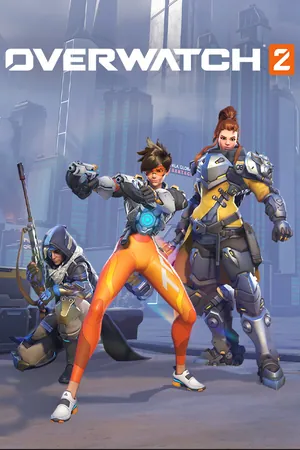
Overwatch
TunedAdjusted for this game, with settings of its own.
Profiled frame by frame, with raw mouse and shaders prepared before the match.
Download the trialBuy for $12.99
Free for 7 days. The trial starts when you choose. One free trial per Mac. $12.99, once. Needs the internet once per Mac to activate. Works on 2 Macs at a time. Apple silicon, macOS 26.5 or later. A label means the same here and in the app.
At a glance
- Store
- Battle.net
- Renderer
- DirectX 11 → Metal
- Mouse
- Raw input
- Memory
- 8 GB or more
Frame rates
Overwatch, on one Mac: Malbec against CrossOver 26.2 with its D3DMetal setting.
- 61%more frames per second155 against 96 FPS on average, on Malbec and CrossOver 26.2.
- 8.5×higher 1% lows78 against 9 FPS over the slowest 1% of frames, on Malbec and CrossOver 26.2.
- 0stutters over 50 ms per minuteAgainst 52 on CrossOver 26.2. A stutter here is a frame that took longer than 50 ms.
Measured on a MacBook Pro (M5 Max, 48 GB) with macOS 27.0, Overwatch, the Workshop benchmark map, 22 October 2026, n=5 maps on Malbec and 3 on CrossOver 26.2. In-game settings on both: fullscreen 2560×1600, the same graphics preset, DirectX 11, frame-rate limit 600. Malbec ran its Maglev engine (malbec-20261022.4) with the performance settings Malbec ships with. Each number is the median of a side’s maps. Both sides had played Overwatch earlier that day, so their shader caches weren’t empty; a first session with an empty cache wasn’t measured at these settings.
Four numbers from every map
Each bar is the median of a side’s maps; the line across it runs from its lowest map to its highest. Every bar starts at zero.
Average FPS Higher is better. Malbec: 61% more.
- Malbec155 FPS5 maps, 138 to 159
- CrossOver 26.2 (D3DMetal)96 FPS3 maps, 91 to 103
1% low Higher is better. Malbec: 8.5× higher.
- Malbec78 FPS5 maps, 65 to 85
- CrossOver 26.2 (D3DMetal)9 FPS3 maps, 9 to 11
Stutters over 50 ms Lower is better. Malbec: 0 in every map.
- Malbec0 per minute5 maps, each 0
- CrossOver 26.2 (D3DMetal)52 per minute3 maps, 49 to 78
Slowest frame Lower is better. Malbec: 11× shorter.
- Malbec20 ms5 maps, 16 to 30
- CrossOver 26.2 (D3DMetal)223 ms3 maps, 207 to 340
Against CrossOver 26.2 (D3DMetal): Malbec is ahead in all four, and in each the two sides’ ranges, from lowest map to highest, don’t overlap.
Being measured: CrossOver’s DXMT setting and CrossOver 26.3 (the current version).
What Malbec does for Overwatch
- Sets Overwatch’s display settings to match your screen, after keeping a copy of the original file.
- Gives it its own settings for graphics, mouse and display.
- Reads your mouse directly instead of waiting for the macOS pointer.
- Hides DirectX 12 if the game offers it, so it runs in DirectX 11 on Metal.
- Turns on macOS Game Mode while you play.
- Keeps the shaders the game builds between sessions.
Before you start
- Install it from Battle.net in Malbec. Malbec sets up Battle.net for you, and you sign in on Battle.net’s own window.
- A Mac with Apple silicon and macOS 26.5 or later.
Known issues
None known yet. If you hit one, choose Help › Report a Game… in Malbec.
More games
All 17 are Preview. Every game, and the ones that won’t run